UPDATE: I realized I was saying “folder icon” when my icon was really just an application icon. I’ve made an actual folder icon for CS3, and have included both icons in the zip file.
UPDATE 2: Try my Custom CS4 Folder icon for those who roll that way.
I decided to create my own folder icon for the entire Adobe Creative Suite 3. By default, the installer dumps everything into the Applications folder. I told mine to put all the CS3 apps in a folder called Adobe CS3 to keep things clean and organized. I thought the default OS X folder icon was a bit dull and didn’t stand out enough to me, so I decided to make my own.
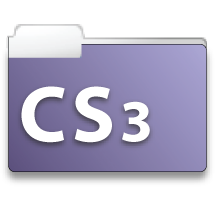
I present to you, my first ever icons! I tried to copy the periodic table of the elements style that each application’s icon has. For some reason, purple was standing out in my head at the time, so I decided on a purple color scheme, with a gradient fill, and I used the Myriad bold font which I think is pretty close to what Adobe used for their icons. Feel free to download the icon and use it for your CS3 folder. All I ask is that if you like it and use it, just leave a comment on this post or use the contact form, so I know that I know someone else likes my work! Enjoy!
[Get It!]

Pingback: Custom Adobe CS3 Icon Packs | Acuity Designs
Pingback: Selección de 6 conjuntos de iconos para Adobe CS3 » Cosas sencillas
Pingback: Icone Adobe CS3: 6 Set da scaricare gratis | JuliusDesign
Pingback: Custom CS4 Icon « acletras.com